
Update on 2026-03-22
1. Visit AscendEX – [Trading] – [Margin Trading].
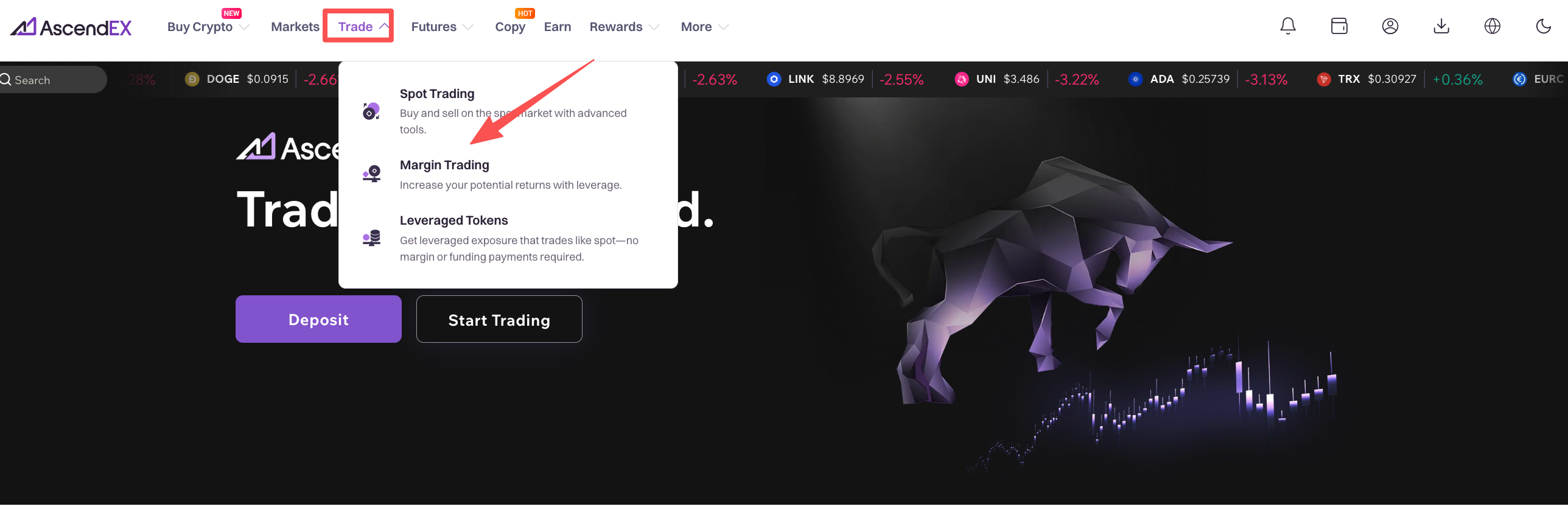
2. Click on [Margin Trading] to enter the trading page. On the page, you can:
- Search and select a trading pair you want to trade on the left side.
- Place buy/sell order and select an order type in the middle section.
- View candlestick chart in the upper middle area; check order book, latest trades on the right side. Open order, order history and asset summary are available at the bottom of the page.
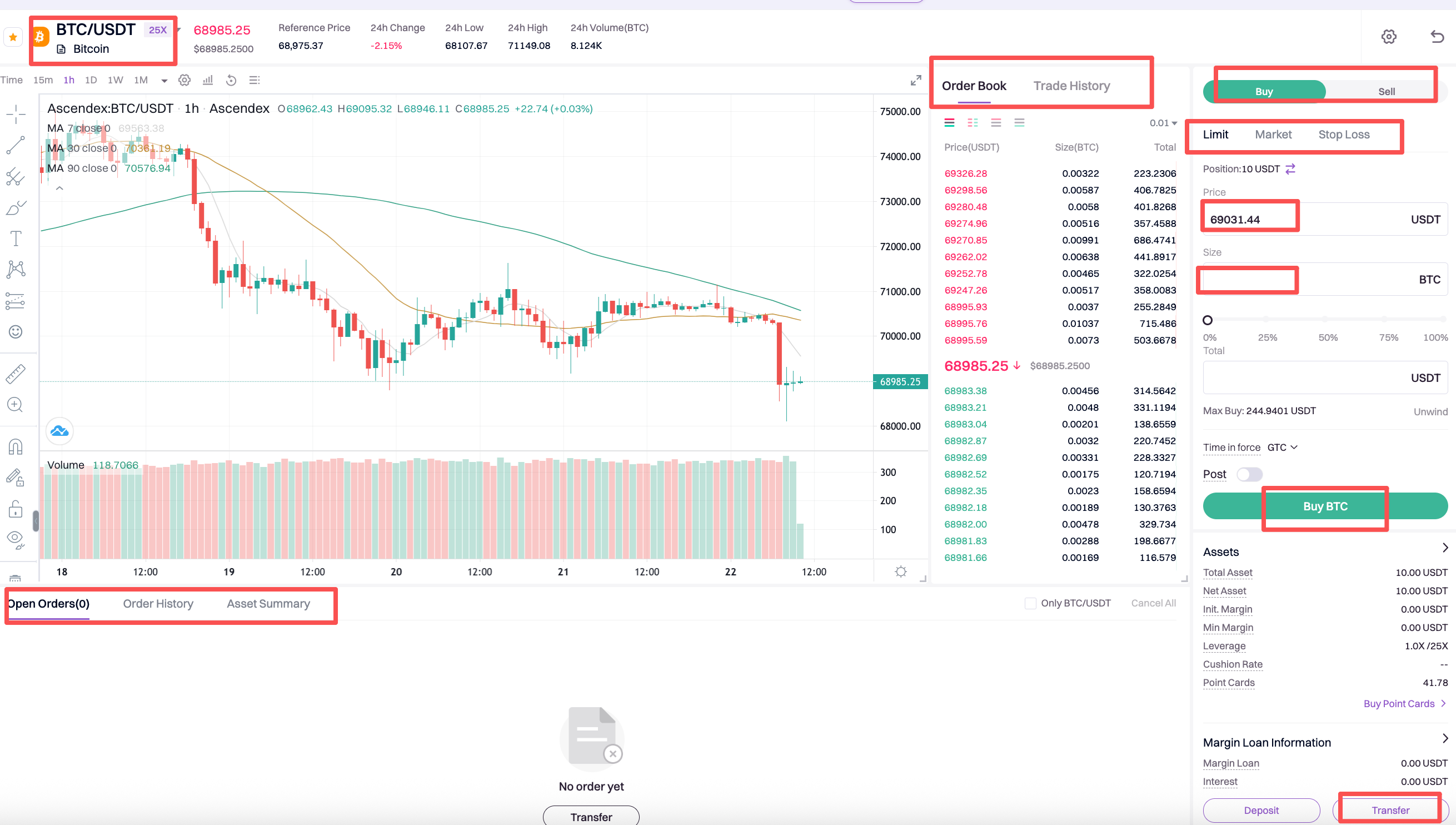
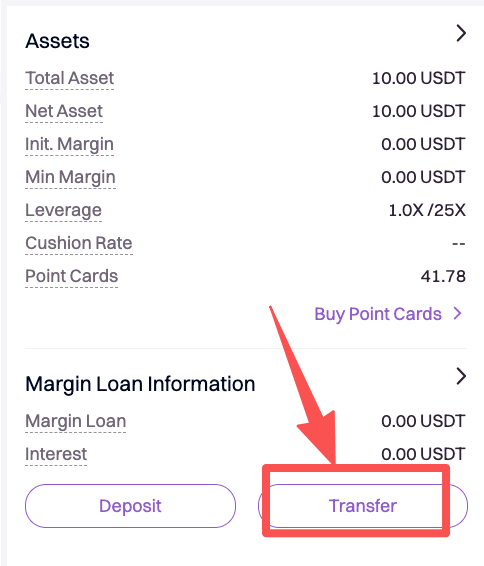
3. Margin information can be viewed on the right lower section. If you currently don’t hold any asset in the Margin Account, click on [Transfer].
4. Note: AscendEX Margin Trading adopts cross-asset margin mode, which means users can transfer any asset to Margin Account as collateral, and borrow multiple types of asset simultaneously against the same collateral.
Under this mode, all assets in your margin account can be used as collateral to mitigate risks of unnecessary liquidation and potential losses.
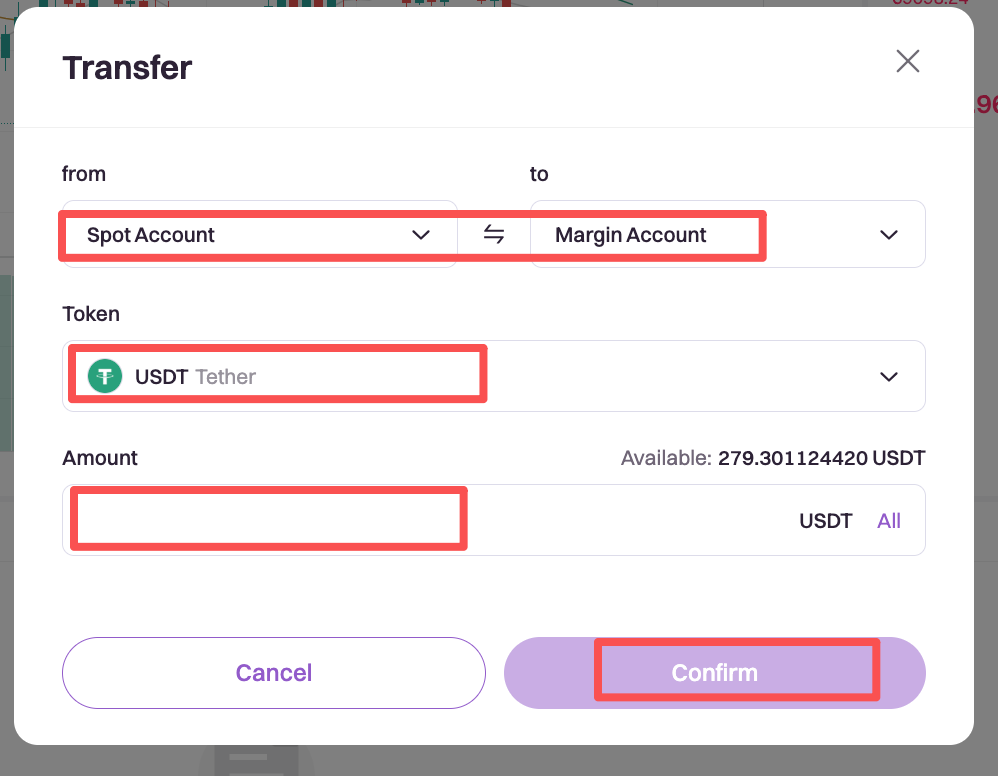
5. You can transfer BTC, ETH or USDT to Margin Account, then all account balance can be used as collateral.
- Select the token you would like to transfer.
- Transfer from [Cash] to [Margin] (users can transfer between Cash/Margin/Futures accounts).
- Enter a transfer amount.
- Click on [Confirm].
6. When the transfer is completed, you can start Margin Trading.
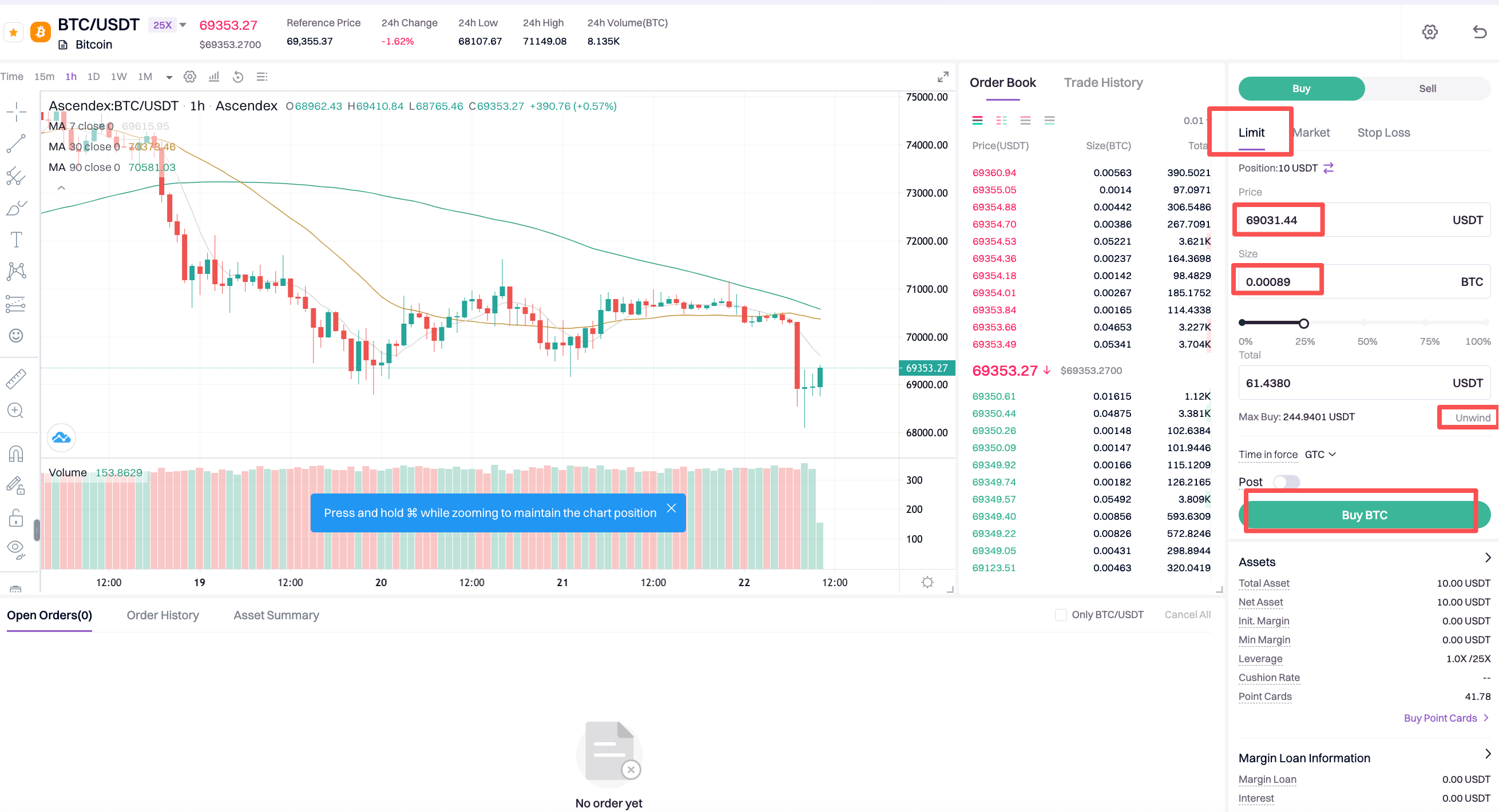
7. Assume you want to place a limit buy order of BTC.
If you expect BTC price to go up, you can borrow USDT from the platform to long/buy BTC.
- Click on [Limit], enter an order price.
- Enter an order size; or you can move the button along the bar below to select a percentage of your max buy as order size. The system will automatically calculate the total trading volume (Total).
- Click on [Buy BTC] to place the order.
- If you want to close out the position, click on [Unwind] and [Sell BTC].
Steps to place a market buy order are pretty similar except that you don’t need to enter an order price, since market orders are filled at the current market price.
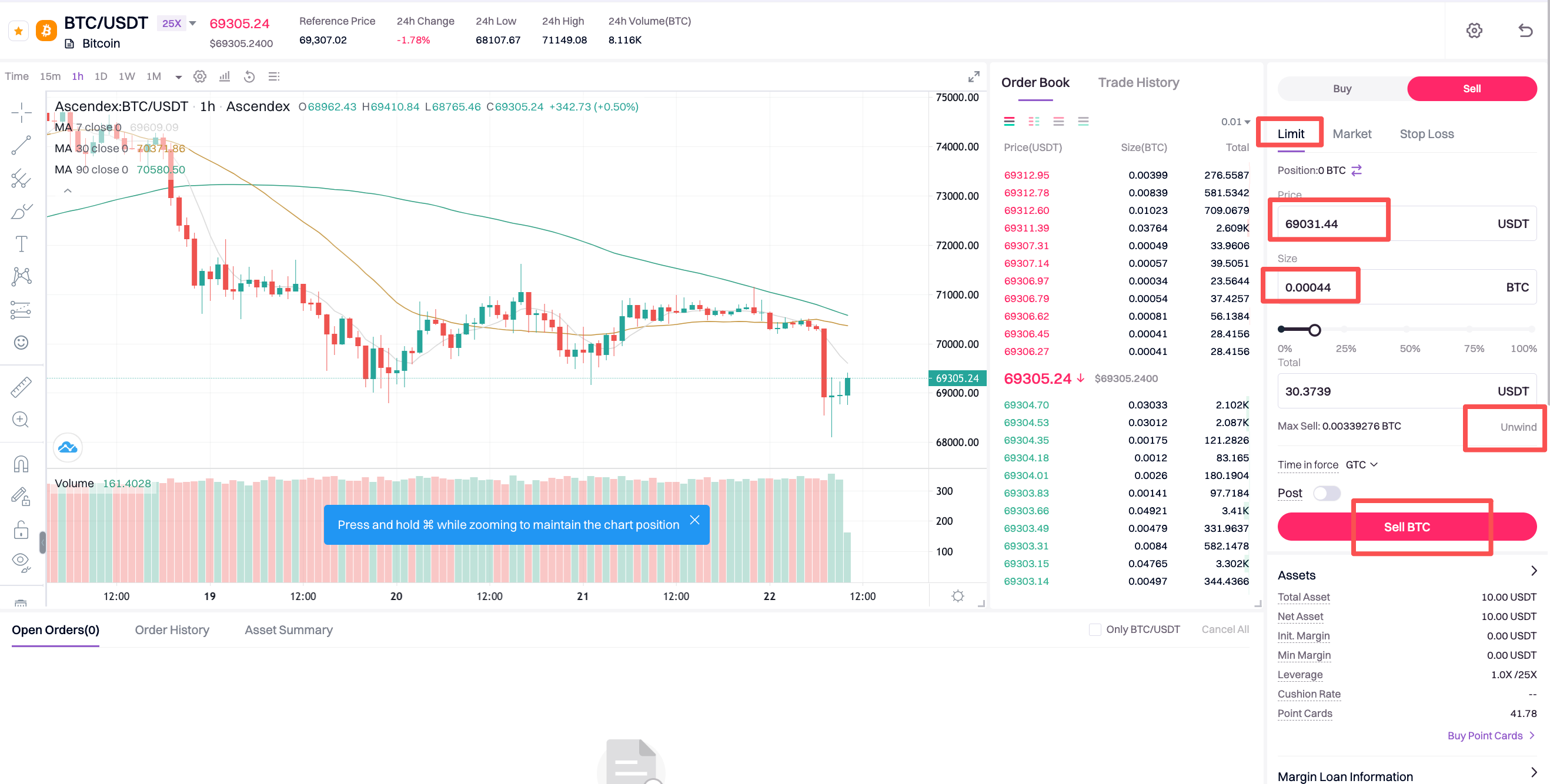
8. If you expect BTC price to go down, you can borrow BTC from the platform to short/sell BTC.
- Click on [Limit], enter an order price.
- Enter an order size; or you can move the button along the bar below to select a percentage of your max buy as order size. The system will automatically calculate the total trading volume (Total).
- Click on [Sell BTC] to place the order.
- If you want to close out the position, click on [Unwind] and [Buy BTC].
Steps to place a market sell order are pretty similar except that you don’t need to enter an order price, since market orders are filled at the current market price.
(Open order of margin trading will lead to the increase of Borrowed Asset even before the order execution. However, it will not affect the Net Asset.)
Interests of margin loan are calculated and updated on user’s account page every 8 hours at 0:00 UTC/8:00 UTC/16:00 UTC/24:00 UTC. There’s no margin interest if user borrows funds and repays the loans within the 8-hour settlement cycle.
Interest portion will be repaid prior the principal portion of the loan.
Notes:
When the order is filled and you are worried that the market might move against your trade, you can always set a stop loss order to mitigate the risk of forced liquidation and potential losses. For further details, please refer to How to Stop Loss in Margin Trading.
How to Stop Loss in Margin Trading【PC】
2020-09-21
How to Start Margin Trading on AscendEX 【APP】
2020-09-18
Function Layout of the Margin Trading Page (Professional Version)
2022-01-11
Function Layout of the Margin Trading Page (Standard Version)
2022-01-11
How to Reduce the Risk of Getting Liquidated?
2022-01-06